


Flash Weather AI: Future Radar
3.851.00 Reviews
App Specs
- Version
- 1.5.175
- Updated On
- License
- Free
- Downloads
- 10,000+
- Developer
- FLASH Weather AI
- Categories
- Weather
- Platform
- Android
Screenshots
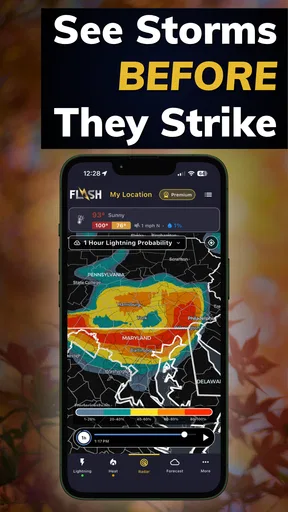
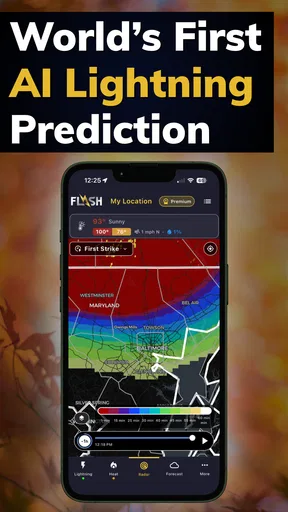
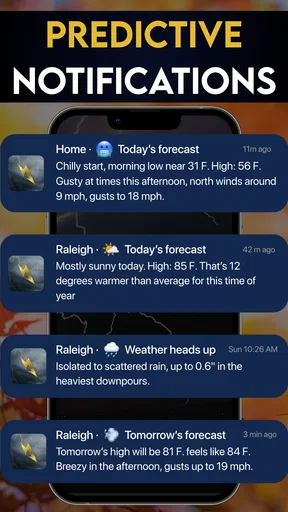
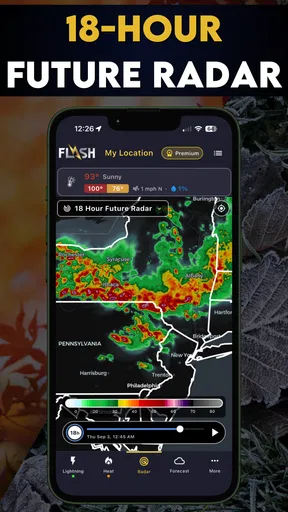
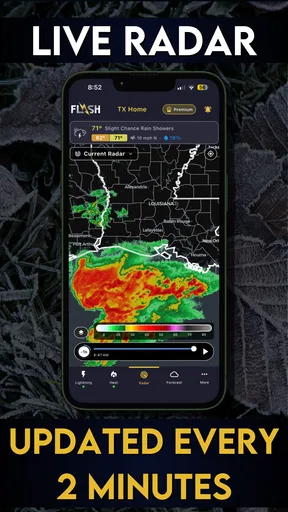
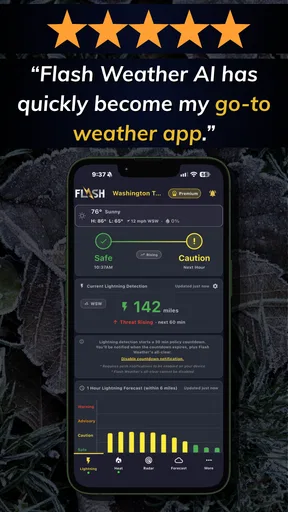
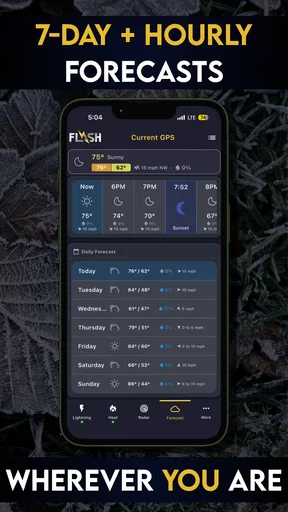
 Analysis by AppCompare
Weather apps usually earn my trust in small moments: before I leave for work, while I am deciding whether to walk, or when a dark sky makes me wonder if an outdoor plan is still sensible. Flash Weather AI: Future Radar takes a narrower and more interesting approach than a standard forecast app. It is built around lightning prediction and storm tracking, with artificial intelligence at the center of its identity rather than as a decorative extra.
That focus makes it easy to understand who may enjoy it. If you want a quick way to keep an eye on approaching storms, this app has a clear purpose. If you mainly need tomorrow’s temperature, a ten-day forecast, pollen information, or detailed climate history, it may not be the best single app for the job. I found its appeal strongest when I treated it as a storm-awareness companion, not as a complete replacement for every weather tool on my phone.
It comes from FLASH Weather AI and is free to install, with optional in-app purchases ranging from a few dollars to several dozen dollars per item. Its Everyone content rating makes it suitable for a broad audience, while the current release is version 1.5.175 and works on Android 7.0 or later. The app has passed the early discovery stage with over ten thousand installs, although its average rating of 3.8 shows that the experience is useful for some people but not universally convincing.
What the storm-focused design gets right
I like that the storm-centered approach gives me a clear question to answer before I head out: is nearby lightning a reason to change the plan? That focus is most useful when I treat the tracker as one part of a decision, alongside the sky and local guidance, rather than as a promise about exactly what will happen. It also makes the next practical issue worth considering: how quickly I can make sense of the information when time is short.
A weather app with a specific job
My first impression is that the app’s strongest decision is its specialization. Many weather applications place current conditions, hourly temperatures, radar, warnings, and forecasts in one crowded package. Flash Weather AI: Future Radar instead makes severe-weather awareness the reason to open it. That sharper purpose can be helpful when the question is not “What is the temperature?” but “Is this storm moving toward me, and should I change my plans?”
The distinction matters because ordinary forecast icons can feel too general during unsettled weather. A partly cloudy symbol does not tell me much when thunder is already audible. A storm tracker gives me a more practical way to think about changing conditions, especially when I am trying to decide whether to start a drive, leave a park, or bring an outdoor activity indoors.
I would still avoid treating any prediction as a guarantee. Storms develop and change quickly, and a prediction tool should support judgment rather than replace it. My useful habit with this app is to check it alongside what I can see and hear, local alerts, and official emergency guidance when conditions become dangerous. That is not a weakness unique to this product; it is simply the reality of forecasting fast-moving weather.
Worth Reading Before You Choose

Flipboard Shows What News Apps Must Do Beyond the Feed

Switching to Android Auto Means Rethinking Your Driving Routine

Google Calendar Makes a Crowded Week Easier to Manage

Ludo King Makes the Most of the Minutes Between Plans

Baby Panda World Brings Quick Play to Modern Phones, but Its Game Library Feels Busy

ESPN’s Live Game View Makes Following Close Games Easier
Why the artificial intelligence angle needs a practical test
The AI label is interesting, but I do not think it should be the main reason to install the app. What matters to me is whether the information helps me make a better decision at the right time. A prediction that looks impressive but is hard to interpret is less useful than a simpler display that clearly communicates where storm activity is heading.
For that reason, I recommend spending a few calm-weather sessions learning how the app presents its storm information. Do not wait until you are already outside in heavy rain. Open the tracker, look at the local area, and notice how movement and timing are communicated. This gives you a baseline for understanding the interface before you need it quickly.
A second useful habit is to compare what the app suggests with what actually happens around you. After a few storms, you will develop a more realistic sense of how much confidence to place in its guidance for your location. This is one of the more important trade-offs: an AI-powered forecast can feel precise, but personal context still matters. Buildings, hills, coastline, and rapidly changing cells can all affect how a storm feels on the ground.
A realistic everyday scenario
Imagine I am planning an evening walk and the sky is becoming darker. A normal weather app might tell me that rain is possible, but I want to know whether a lightning-producing storm is approaching. I would open Flash Weather AI: Future Radar before leaving, check the storm view, and use that information to decide whether the walk is worth the risk. If activity appears to be moving closer, I would postpone the walk rather than rely on a last-minute guess.
The same workflow can help with a school pickup, a commute by bicycle, a gardening project, or a small outdoor gathering. The key is not to stare at the app continuously. I would check before the activity, check again if the sky changes, and then put the phone away. That approach keeps the app useful without turning it into a source of constant anxiety.
Where it differs from a conventional weather app
A conventional weather app is usually better when I need a broad daily overview. It may be more convenient for comparing temperatures, checking sunrise and sunset, planning clothing, or scanning several days at once. Flash Weather AI: Future Radar is more compelling when the immediate concern is storm development and lightning rather than general conditions.
That means I see it as complementary for many people. Someone who already likes a general forecast app could use this one for a more focused storm check. Someone who wants only one lightweight weather tool may find the specialization limiting. I would not choose it as my sole weather reference if my routine depends on many different forecast categories.
Trust starts with visible choices
Because weather apps can be used during stressful situations, I pay attention to more than visual polish. I want to know what I am being asked to allow, what controls are visible, and whether optional features feel clearly separated from the basic experience. With this app, I would review each permission prompt and purchase screen carefully instead of approving everything automatically.
The free entry point makes trying it straightforward, but the presence of in-app purchases means I would also check which parts of the experience are available without paying and which are presented as upgrades. That is especially important if a family member or child might use the device. The Everyone rating describes the intended age suitability, but it does not remove the need for sensible purchase controls on a shared phone.
I also prefer to make location decisions deliberately. A storm tracker is naturally more useful when it can work with a relevant location, but I would only grant access in the way that matches my comfort level and usage pattern. If I am checking weather manually, I may prefer to enter or select a place rather than leave location access enabled continuously. The right choice depends on how the app presents its controls, so I would read the prompt instead of assuming the most convenient option is the only one.
Data-sensitive moments during normal use
Weather information feels harmless, yet location can reveal routines. A person may open a weather application at home, at work, while traveling, or near a child’s school. I therefore treat location as sensitive even when the app’s purpose is completely ordinary. My recommendation is simple: grant only the access needed for the way you actually plan to use the tracker, and revisit that choice if your habits change.
I would be especially careful before enabling anything that could run in the background or send repeated notifications. Alerts can be valuable during severe weather, but unnecessary notifications quickly become noise. If the app offers notification choices, I would keep the useful ones and turn off anything that interrupts me without helping me act. A storm warning should prompt a decision, not become another stream of attention-grabbing messages.
On a shared device, I would also avoid leaving the app open with a highly specific location visible if that is uncomfortable. This is a small point, but it is part of responsible use. A weather screen can expose where someone is spending time even without any dramatic security problem. Closing the app when finished and reviewing account or device settings occasionally are sensible habits.
Account control and purchase awareness
I prefer apps that let me explore their basic value before asking me to commit. Since this one is free to install, I would begin by testing the storm-tracking experience in a normal location and seeing whether the presentation is understandable. I would not purchase anything simply because a screen uses urgent language or because a storm is approaching. Weather decisions deserve calm judgment, and payment decisions do too.
The available purchase range is broad enough that I would inspect the exact item, billing terms, and renewal behavior shown by the store or purchase screen before confirming. I would also use the platform’s purchase authentication on a shared phone. This is not a criticism of the app alone; it is a practical safeguard whenever an application offers optional paid items.
If I later stop using the service, I would check the operating system’s subscription and account controls rather than assume deleting the app cancels everything. Keeping those controls in mind gives me more agency and prevents a trial or recurring purchase from becoming an unpleasant surprise.
Small workflow improvements that make it more useful
One of my preferred ways to use this kind of app is to make a short decision routine. I check the tracker before leaving, identify whether activity is approaching or moving away, and decide on a clear action: go, delay, change route, or cancel. This is better than repeatedly refreshing without a plan. The app becomes a decision aid instead of a screen I keep watching.
Another useful approach is to check from the place where the activity will happen. A forecast that looks acceptable at home may not answer the question for a park, sports field, or workplace several miles away. I would select the relevant area before making the decision, particularly when a storm is scattered rather than covering a wide region.
I would also keep a second source available for confirmation during serious weather. Flash Weather AI: Future Radar can help me notice developing risk, but official warnings and local emergency instructions should take priority when safety is involved. This layered approach is more reliable than expecting one app to provide every piece of information, especially when conditions are changing faster than a routine forecast update.
Limitations I noticed in the overall proposition
The main limitation is the narrow scope. If I want a complete weather dashboard, the storm-centered design may leave me reaching for another app. That extra step is not a problem when lightning is the main concern, but it can feel inefficient on an ordinary morning when I only want a quick temperature and rain check.
The rating of 3.8 from around ninety ratings also suggests that expectations should be measured. There is enough interest to make the concept worth trying, but not enough evidence for me to call it a universally dependable favorite. I would install it with a trial mindset: see whether its presentation works for my area, learn how quickly I can interpret the tracker, and keep it only if it improves my decisions.
Another limitation is psychological. A prominent storm tool may encourage some users to check too often or worry about every cloud. I would not recommend it to someone who already becomes anxious when monitoring weather minute by minute. In that case, a simpler forecast routine with carefully selected alerts may be healthier and more practical.
Who should install it
I think the app is a good fit for people who spend time outdoors, commute without a car, organize activities around weather, or simply want a dedicated way to watch lightning risk. It can also suit users who already have a general forecast app and want a second tool focused on storms rather than a large collection of unrelated weather panels.
It is less suitable for someone who wants a one-stop forecast service, detailed long-range planning, or a completely passive experience. Those users may prefer a broader weather application that puts hourly and daily conditions first. I would also skip it if I knew I would not review permissions, notification settings, and purchase details. A focused tool is only helpful when its controls fit the way I use my phone.
My cautious verdict
After looking at its purpose, access choices, and practical workflow, I see Flash Weather AI: Future Radar as a specialized weather companion rather than an all-purpose forecast replacement. Its clearest strength is its attention to lightning prediction and storm tracking, which gives it a useful role during uncertain outdoor plans. The free installation makes that role easy to test, while the optional purchases mean I would examine upgrade screens carefully before spending anything.
I would recommend trying it if storm awareness is a regular part of your day. Start with manual checks, choose locations deliberately, keep notifications limited to what you can act on, and compare its guidance with official warnings when the situation becomes serious. Those habits preserve user control and make the app more valuable.
My final recommendation is cautious but positive: install it for focused storm monitoring, not because the AI label promises certainty. If it helps you make quicker, calmer choices about walks, travel, or outdoor plans, it earns a place beside your usual weather app. If you need broad forecasts or find yourself checking constantly, a simpler alternative will probably serve you better.
Pros
- AI forecasts make weather trends easier to understand at a glance.
- Future radar helps visualize approaching rain and storms.
- Clean interface keeps key conditions easy to find.
- Useful for planning commutes
- trips
- and outdoor activities.
- Weather information is presented in a modern
- engaging format.
Cons
- AI predictions may be less reliable during rapidly changing weather.
- Advanced radar or forecast tools may require a subscription.
- Frequent location updates can increase battery and data usage.
- Accuracy depends on the quality of available local weather data.
- Some users may prefer traditional forecasts over AI-generated summaries.
FAQs for Flash Weather AI: Future Radar
What is Flash Weather AI: Future Radar?
Flash Weather AI: Future Radar is a weather app designed to provide quick forecasts, radar information, and weather alerts in a visually focused interface. It may use artificial intelligence or automated data analysis to summarize changing conditions and help users understand what is likely to happen next. Before downloading, check the store listing to confirm which features are available in your country and on your device.
How accurate are the forecasts and future radar predictions?
The app can be useful for checking short-term weather patterns, precipitation movement, temperature changes, and possible severe conditions, but no weather service is perfectly accurate. Forecast quality depends on the data providers, your location, update frequency, and local geography. Treat the radar and AI predictions as guidance rather than a guarantee, especially when planning travel or outdoor activities.
Does Flash Weather AI: Future Radar provide severe weather alerts?
Depending on your region and the permissions you grant, Flash Weather AI: Future Radar may offer notifications for rain, storms, temperature changes, or other potentially dangerous conditions. Alert availability can vary by country because weather warnings are normally supplied by local meteorological authorities. After installation, review notification settings carefully and avoid disabling alerts if you rely on the app for safety information.
Does the app require location access or an internet connection?
The app will generally need an internet connection to download current forecasts, radar imagery, and updated weather warnings. Location access may be requested so it can automatically display conditions for your current area, although you may be able to search for and save locations manually. If privacy is important to you, review the permission requests and choose approximate or limited location access when supported.
Is Flash Weather AI: Future Radar free to download and use?
The application may be free to install while offering optional premium features, advertising, subscriptions, or in-app purchases. These can include expanded forecast details, additional saved locations, advanced radar layers, ad removal, or more frequent alerts. Pricing and available plans may differ between Android and iOS, so check the official store page and subscription terms before confirming any purchase.


